Zoho CRM provides an Enterprise-grade Role-based security to control the access rights of users while working with CRM data and modules such as leads, accounts, contacts, potentials etc. The Role-based security includes Profiles, Roles, Data Sharing Rules, Field-level security, and Groups.
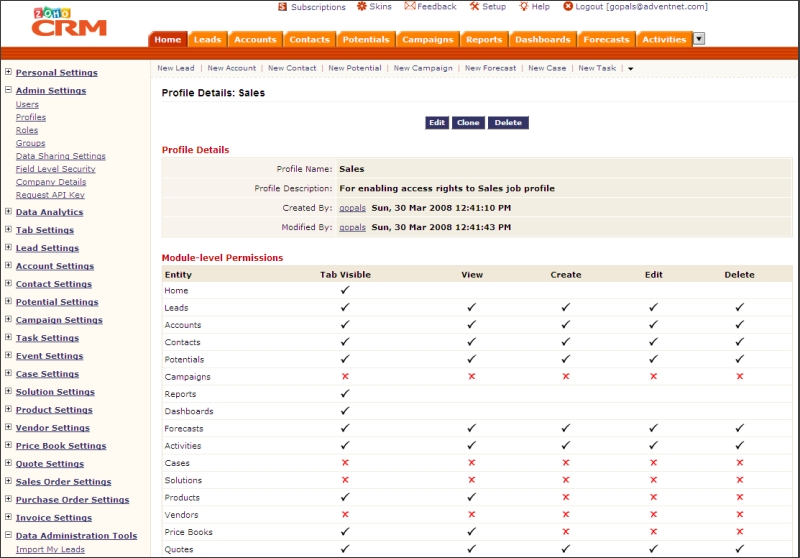
Using profiles, you can define fine-grained access rights to the CRM modules, data administration tools, CRM records, and fields within each module.
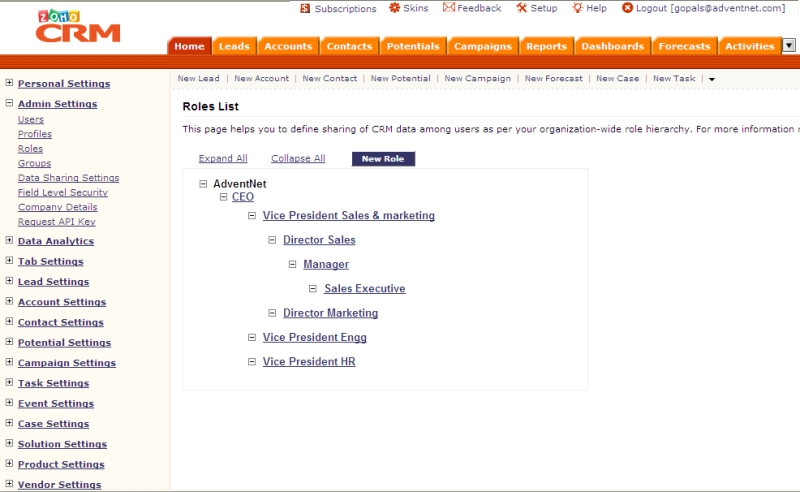
With the Roles and Data Sharing Rules, you can set up multi-level organizational hierarchy and control the data-level access rights as per user's role within organization.
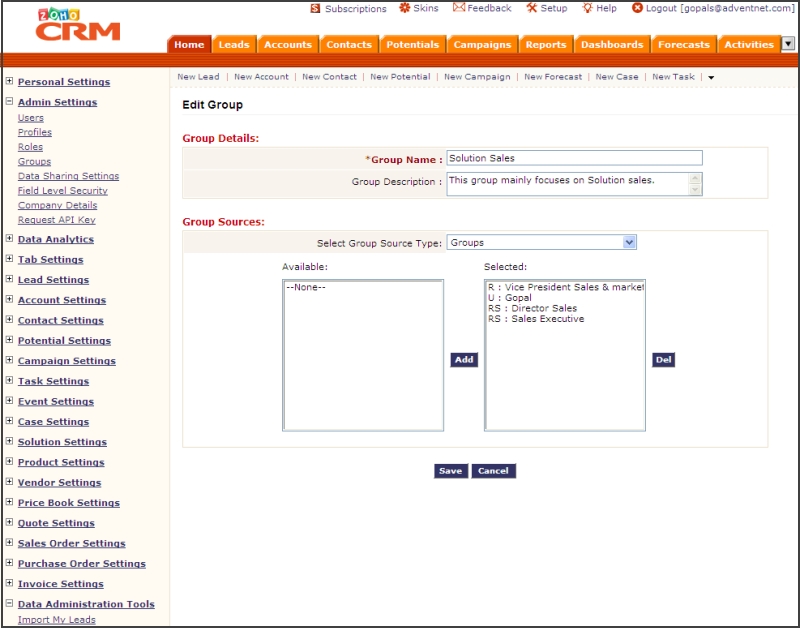
Groups (also called as Teams) allow you to extend the data-level access to other users with similar job profile, working in the same department or project, or sharing the data among common geographical location.

Key Features
Profiles |
-
Manage module-level permissions for Sales, Marketing, Support, Inventory and other job profiles
- Manage permissions to access the data administration and other CRM utilities
- Control the access rights to fields using field-level security so that users can access fields that are relevant to job profile
Roles |
-
Share CRM data with users as per their job role (CEO, Vice President, Manager etc.,) in an organizational hierarchy
- Define common access rights, such as private, public read and public read/write permission for accessing the CRM data across the organization
- Set up data sharing rules to extend access rights to the other roles, roles & subordinates, and groups in an organization
- Enable sharing of the data among peers so that user with a same role can access other user's data
Groups |
-
Manage groups (teams) based on job profiles, departments, or location of the users
- Assign users, roles, roles & subordinates, and sub-groups to the groups
- Setup data sharing rules for groups so that users associated with the groups can have access rights on common data